Empirq quietly opened to everyone in September 2026. We've shipped 18 updates since then. A few were big. Most were the kind of fix you only notice when it's missing.
This is the first post on On Empirq, where product news will live from now on. Here's the catch-up.
For writers
Bring your existing posts with you
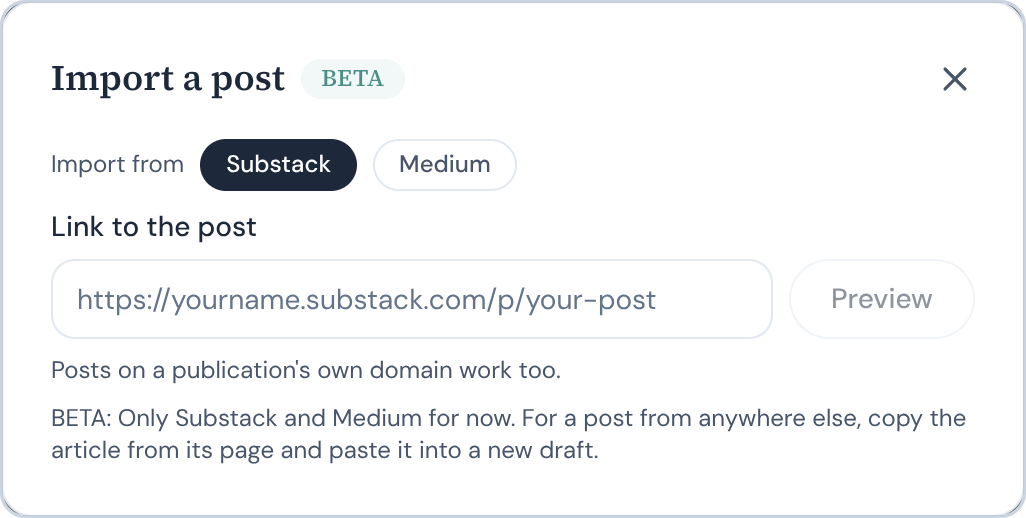
Import a post is a new feature, in beta, for bringing in posts you've already published on Substack or Medium. You don't have to start over to try Empirq. Paste the link to one of your Substack posts, look at the preview, and you get a draft with the title, cover, images and tags already in place. The draft says where the post first ran and points search engines back there, so the original keeps its credit. Nothing goes out until you publish. Recent Medium posts work the same way, and if something comes through wrong, send us the link.
Find it under Dashboard → Articles → Import a post.
Paste Markdown
Write in a notes app or an editor of your own? Paste it in. Headings, lists, links and code blocks arrive formatted, and a # Heading on the first line becomes the title. If you want the raw text, Shift-paste skips the conversion, and anything pasted inside a code block stays exactly as typed.
Choose where the paywall goes
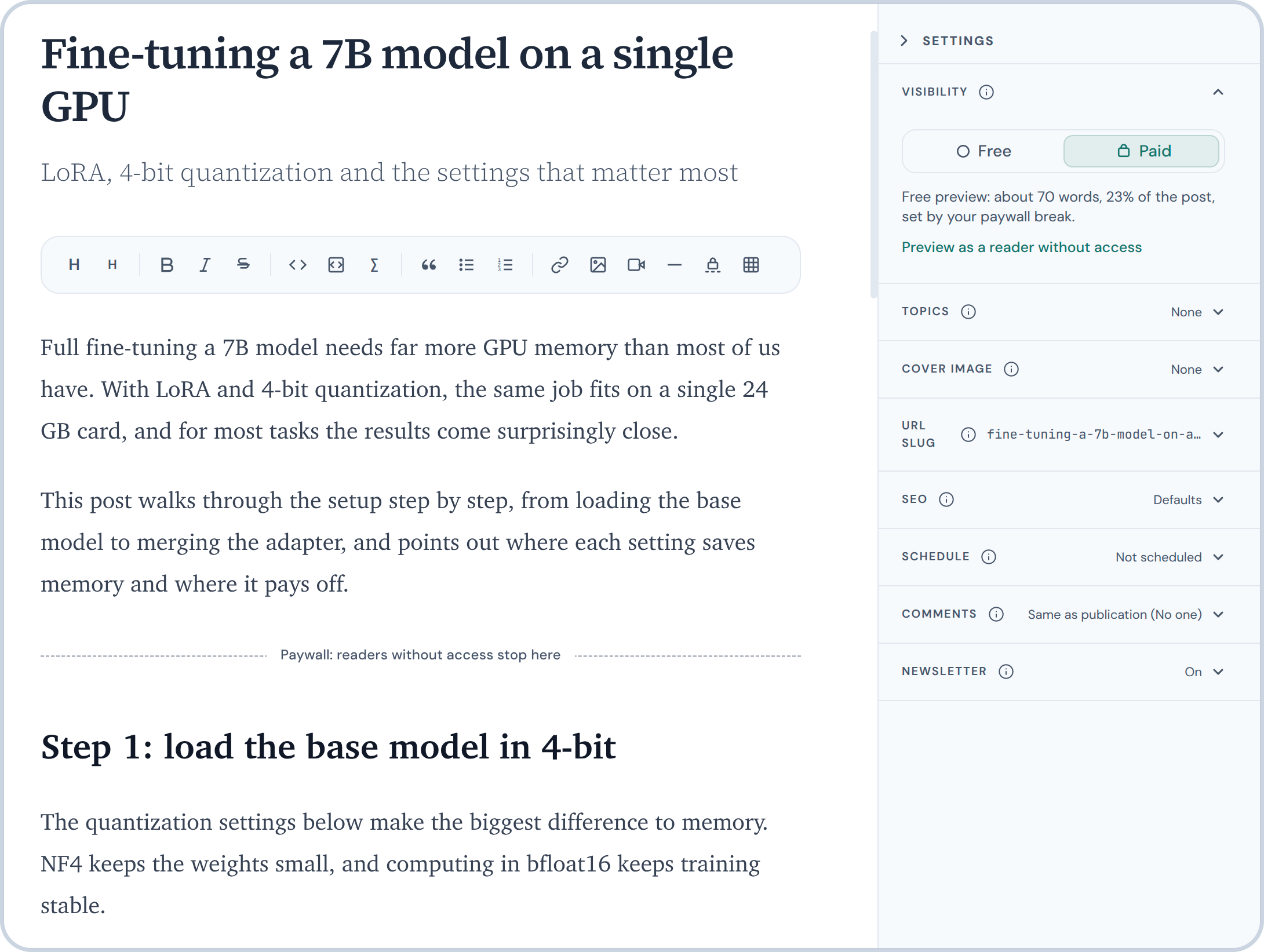
A paid post no longer has to be all or nothing. Add a Paywall break from the toolbar or the / menu, and everything above it is free while everything below is for paid subscribers. The newsletter version stops at the same place.
Before you publish, Preview as a reader without access shows the post the way a non-subscriber will see it. And if more than half of a paid post sits above the break, we ask you to confirm first.
Scheduling, saving, tags
Three smaller ones. Scheduled posts now publish at the time you set. Settings save as you change them, a draft saves when you leave the page, and every saved version of a post is kept. And the tag field now suggests tags other writers already use, so your post ends up on the same tag page as theirs. #ai became the first tag readers can follow.
A dashboard that goes further back
Filter your articles by status, access and subfield. On Analytics, Subscribers and Newsletters, pick a period from the last 7 days up to 12 months, all time, or a single past year. Daily numbers are now kept for good, so this month can sit next to the ones before it.

One email an hour for comments
A busy comment thread used to mean a busy inbox. New comments and replies still show in your notifications the moment they arrive, but the email now comes once an hour at most, with everything grouped by article. To turn it off: Settings → Preferences → Comment emails.
Empirq's Pick
Every week we choose one article for the top of the feed and Explore. If yours is chosen, you'll hear by notification and email, and you decide whether it also goes on the Empirq homepage.
For readers
Subscribe from the article
The subscribe box is part of the article now. Type your email and you're subscribed, without leaving the page.

The Empirq newsletter
A roundup of the best new writing on Empirq, sent whenever there's something worth reading. It's all about the articles. No account needed: sign up at the bottom of Explore.
Every subscription in one list
Settings → Subscriptions now shows free follows next to paid subscriptions, each with its own Unsubscribe.
Faster pages
Articles now open noticeably faster, most of all on phones and slower connections. The page you came for shows up sooner, and reading on mobile data uses far less of your plan.
Phones, tablets and keyboards
Settings work properly on smaller screens, and dialogs and menus can now be used fully with a keyboard or a screen reader.
Account and payments
Signing out
Signing out now ends the session on our side too, not only in your browser. If you've left yourself signed in somewhere you shouldn't be, Settings → Account → Sign out of all devices ends every session at once.
Safer payments
Some payments now ask for a quick confirmation from your bank, and new paid publications are reviewed before they can accept subscriptions. So you can subscribe, and get paid, with more confidence.
Thanks to security researchers
When someone reports a security issue to us, they're now credited on our vulnerability disclosure page. The first name went up in October.
What's next
Code blocks with line numbers, file names and highlighted lines are next on our list, along with an About tab for publications. We'll post here when they're out.
You'll find these posts under What's new in the site footer. To get product news like this by email, subscribe to On Empirq; it's separate from the Empirq newsletter. If something on Empirq gets in your way, write to [email protected]. We read every message.
Thanks for writing here, and for reading.
The Empirq Team